2. Blueprints Setup
A blueprint is a service that would represent one line item on your invoice. This tutorial uses mowing as an example.
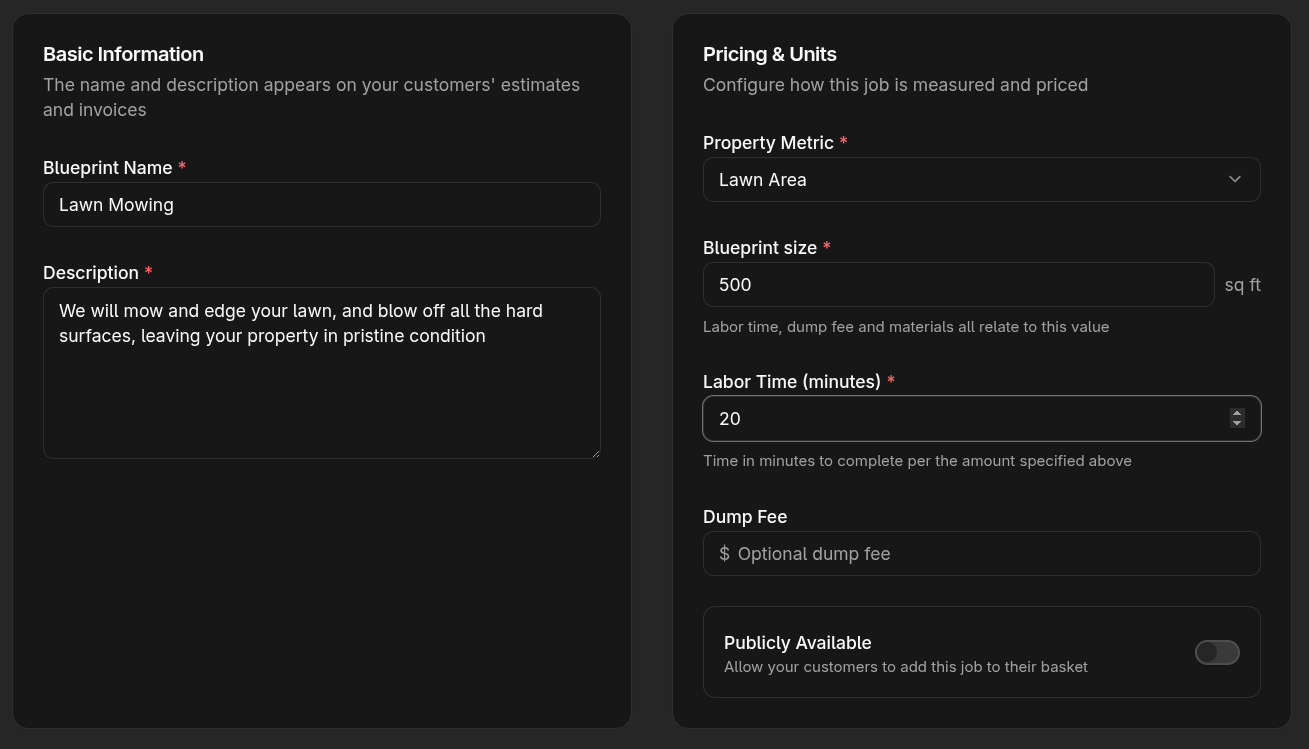
The name and description of the blueprint will be shown on the estimate, job, and invoice, so use language that will be clear to your customers. Here's an example text for both:
Think of a blueprint as the smallest unit of work you or your crew can do. For example, if you want to cost your mowing services at 500 square feet, then your mowing services would have a blueprint size of 500, with the Lawn Area property metric. You'll set the labor time to service that area. For mowing, you won't need materials or a dump fee.
Additional blueprint
Set up one more blueprint, and choose a property metric different from lawn area. Consider adding a job that requires materials and a dump fee. Something like mulching beds or doing a spring cleanup and applying pre-emergent.
With these blueprints in place, you're now ready to add a property.